Welcome back
This home-screen Stash needs your sign-in link once. Copy it in Safari (Set up → Put Stash on your home screen), then tap below.
Free while in beta · works with Claude
The reels you save, finally useful.
Share a reel to Stash. A couple of minutes later it's a note you can search: recipes come back as ingredients and steps, books and movies land in a list, tips come with the next step. And Claude can read all of it.
No email, no password. iPhone, Android or computer.
15 min garlic butter pasta 🍝 full recipe in the comments… more
♫ pastaqueen · Original audioYour note will be ready in a few minutes.
OK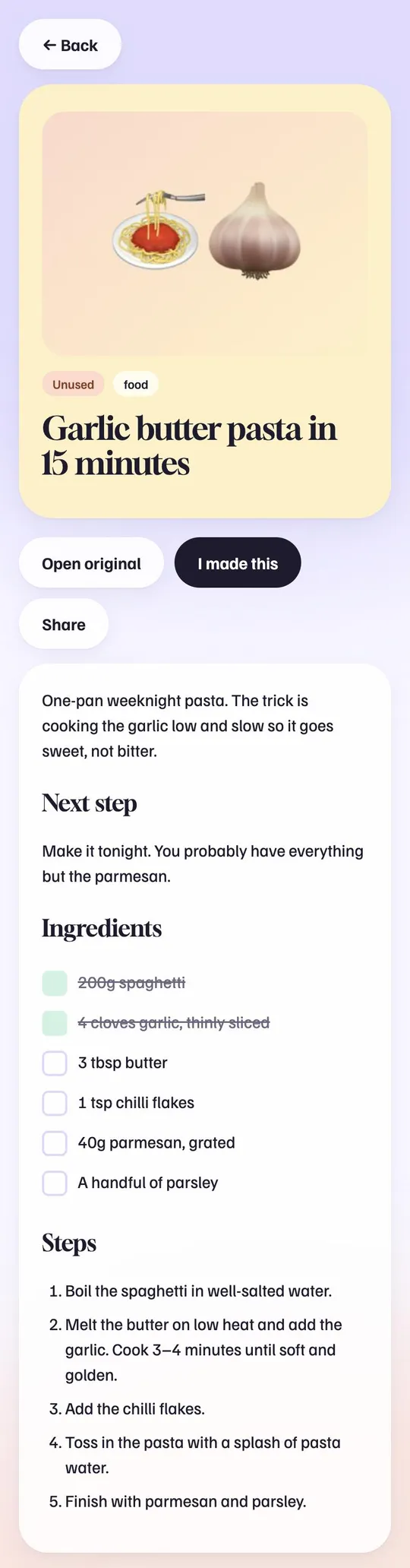
Your Saved folder is a graveyard.
Hundreds of thumbnails, no search, no idea which one had the recipe. Stash turns each one into text you can find.
"It was a pasta thing… somewhere in here."
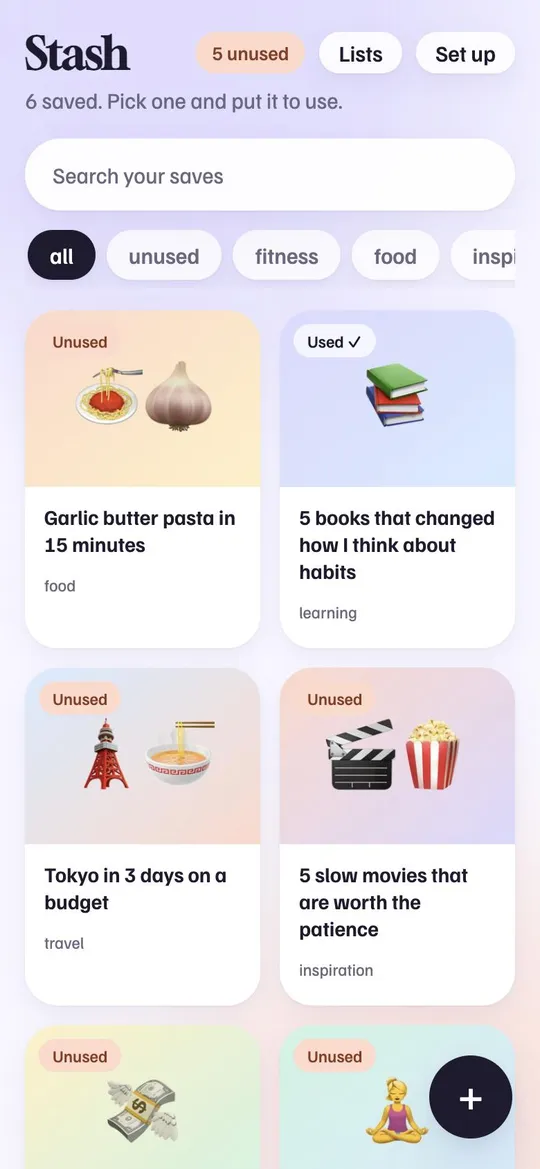
Search anything that was said, shown or written.
Inside Stash
Real screens from the app.
How it works
-
ShareIn Instagram, TikTok, YouTube, X or Threads, tap Share and pick Stash. One-time setup, about two minutes.
-
Stash reads itIt listens to the audio, reads the text on screen, the caption and the top comments, then writes a short note.
-
Find it when you need itSearch by anything that was said or shown. Tick off recipes you made and books you read.
Ask Claude what you saved
Connect Stash to Claude once. After that Claude can look through your saves on its own, on your phone or computer.
What was that pasta recipe I saved last week?
Searched your stashThe garlic butter one. 200g spaghetti, 4 cloves garlic, 3 tbsp butter. Fry the garlic slowly in the butter, then toss in the pasta with a splash of pasta water.
Pricing
Free while Stash is in beta. Here's the plan after that, so there are no surprises.
- 30 saves a day during the beta
- Notes, recipes, lists, search
- Claude connector
- 200 saves a day
- Never queued behind anyone
- Everything in Free
- Unlimited saves, no key needed
- Processed first
- Everything in Free
Rather run it yourself? Stash is open source. Host your own copy for free ↗
Questions
Which phones does it work on?
iPhone (through a Shortcut, Stash walks you through it), Android (install it from Chrome and it shows up in the share menu), and any browser, where you can paste links.
How long does a save take?
Usually a couple of minutes. You'll see it appear in your library with a "Reading…" card while it works.
Who can see my saves?
Only you, unless you share a note. Stash never re-posts the video, it keeps a short note and a small cover image. Details in the privacy policy.
There's no password. How do I get back in?
You get a private sign-in link. Stash asks you to save it (email it to yourself, or keep it in your notes). Open it on any device and you're in.
What's a Groq key and do I need one?
No. Groq runs the AI that reads reels. Stash covers it for you. If you save a lot, a free key of your own lifts your limit to 200 a day.
Stop losing the good ones.
Start my stash, freeAlready have a stash? Sign in
Open your sign-in link, or paste your token (it starts with stk_). You'll find it in Set up → Your account on a device where you're signed in.
Set up Stash
Three things to set up. Do them now or later.
Save from your phone
Share a reel straight into StashTo do
Save from your phone
Share a reel straight into Stash- Copy your tokeniOS will ask for it once.
- Add the Stash ShortcutOpen this on your iPhone. Tap Add Shortcut, then paste the token when asked.
- Share a reel to StashIn Instagram, TikTok or YouTube: tap Share. In Instagram, tap Share to… (or More) to open the iPhone share sheet, then pick Stash. Don't see it? Scroll the app row to the end, tap Edit Actions and add Stash as a favourite. You'll get a "Saved" alert, and the note shows up here shortly.
- Open Stash in ChromeOn your Android phone. If you're on a computer, scan the code above first.
- Install itChrome menu (⋮) → Install app (or Add to Home screen).
- Share to StashIn Instagram, TikTok or YouTube: tap Share, then Share to… or More, and pick Stash. No extra setup. Stash only shows up here after you've installed it in step 2.
Put Stash on your home screen
Open your saves in one tap, like an appOptional
Put Stash on your home screen
Open your saves in one tap, like an app- Copy your sign-in linkThe home-screen version starts signed out on iPhone, so you'll paste this once.
- Open this page in SafariIt has to be Safari. In other browsers the option isn't there.
- Tap Share, then Add to Home ScreenShare is the square with an arrow at the bottom of Safari. Scroll down the list if you don't see it, then tap Add.
- Open Stash from your home screenTap Paste my sign-in link and you're in.
- Open this page in ChromeYou stay signed in, nothing to copy.
- Chrome menu (⋮) → Install appOr Add to Home screen. This also puts Stash in your share menu.
On a computer? In Chrome or Edge, click the install icon at the right end of the address bar to get Stash as its own window.
Connect Claude
Let Claude search your saves on its ownTo do
Connect Claude
Let Claude search your saves on its own- Copy your connector linkIt contains your private token. Treat it like a password.
- Open Claude’s connector settingsEasiest on a computer: claude.ai → Settings → Connectors → Add custom connector. Once it's added there, it works in the Claude phone app too.
- Name it “Stash” and paste the linkThen start a new chat and ask: “Search my stash for recipes” or “What books have I saved?”. If Claude asks for permission to use Stash, allow it.
Use your own Groq key
Free, faster, no shared limitsOptional
Use your own Groq key
Free, faster, no shared limitsStash reads reels with Groq’s AI. By default it uses a shared key with a small daily limit. Your own free key means your saves are never queued behind anyone else’s.
- Get a free key from GroqSign up free (Google or email works, no card needed), tap Create API Key, name it "Stash", and copy the key. It starts with
gsk_and Groq only shows it once, so paste it here straight away. - Paste it hereWe check it works before saving, and store it encrypted.
Good to know
Limits, timing, privacy
Good to know
Limits, timing, privacyWhat can I save? Links from Instagram, TikTok, YouTube, X and Threads.
How long does it take? Usually a couple of minutes. When lots of people are saving, or Stash's processing computer is offline, it can take a few hours. Nothing gets lost, it waits in line, and you'll see a banner if it's slow.
Limits. 25 saves waiting at once, and 30 a day on the shared AI allowance. Add your own free Groq key above and it's 200 a day.
Why did a save fail? Usually the post is private or deleted, or YouTube blocked the download. Tap Retry once. If it fails again, remove it.
Who can see my saves? Only you, in the app. But whoever runs Stash can read the database. Don't save anything you'd hate for them to see.
Leaving? Export your notes or delete your account under Your account. Deleting is permanent.
Your account
Token, export, sign out
Your account
Token, export, sign outYour sign-in link opens your stash on any device. Keep it private. Export gives you everything as one JSON file. Resetting your token signs out every device and breaks your old connector link. Deleting erases all your saves for good.
Admin
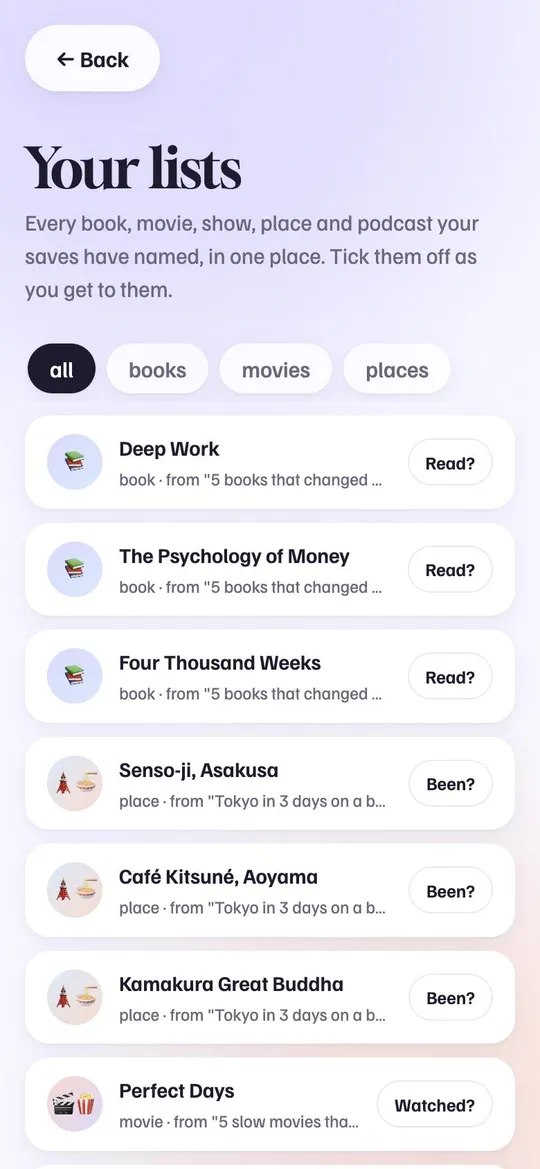
Your lists
Every book, movie, show, place and podcast your saves have named, in one place. Tick them off as you get to them.